
001
The project
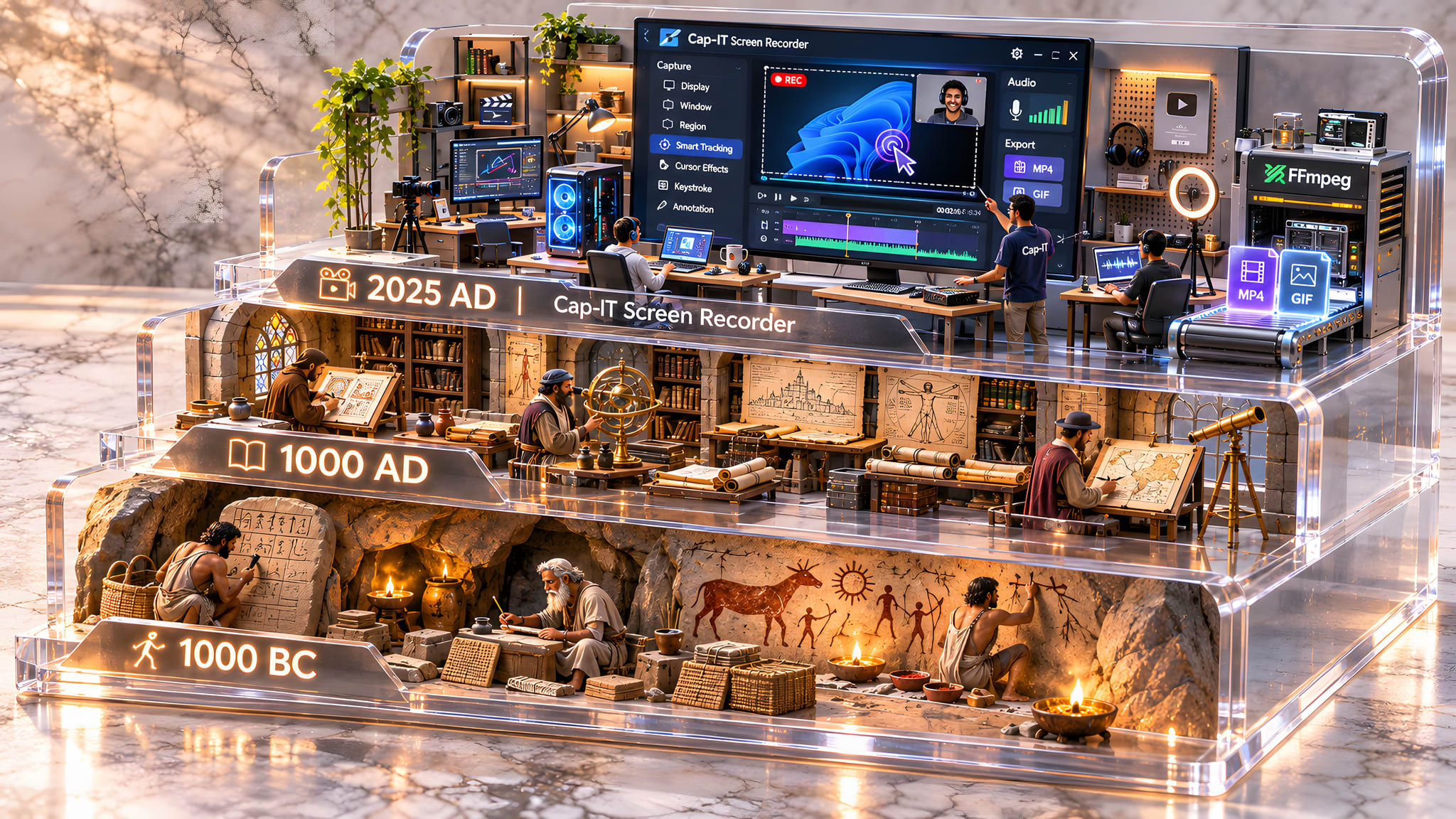
The project serves as a robust Windows screen recording and editing suite built using .NET 8 and Avalonia technologies. It combines high-performance capture mechanisms with an intuitive user interface to handle everything from initial display selection to final video export. The application architecture cleanly separates core logic, platform-specific Windows infrastructure, and user interface components.
The primary purpose of the software is to ensure that desktop recordings require minimal effort while yielding polished, intentional results. It addresses the need for an all-in-one recording utility that eliminates the friction between capturing raw screen footage and producing edited, shareable media formats.
Designed for content creators, educators, and professionals seeking a native Windows tool for capturing high-definition screen content, adding annotations, and exporting formatted video files or animated GIFs.
002
What it does
7 evidenced features
- 01
Capture displays, windows, and live thumbnails
- 02
Smart zoom tracking to follow screen action
- 03
Cursor effects, webcam overlays, and keystrokes visualization
- 04
Audio cleanup, monitoring, and level metering
- 05
Annotations and drawing tools over the desktop
- 06
Video timeline trimming, composition, text overlays, and framing
- 07
Export to MP4 and GIF formats without leaving the app
003
How it works
Application Surface and Core Logic
The core application behavior and timing mechanics are managed through centralized components like src/CapIT.Core/Services/FrameClock.cs. This layer establishes the foundation for managing application-wide states, settings models, and foundational recording data paths without direct platform dependencies.
Windows Infrastructure and Capture Pipeline
Platform-specific capture, audio handling, and encoding functionalities are housed within infrastructure modules such as src/CapIT.Infrastructure.Windows/Services/Capture/VideoCaptureService.cs and FFmpeg integration services. These components interface directly with native Windows graphics and audio APIs to facilitate high-framerate capture and reliable media processing.
Delivery, Quality Assurance, and Testing
Continuous integration and automated quality checks are configured via .github/workflows/build.yml and release workflows alongside test scripts like Tests/RecordingChecks/caretcheck.py and sharpness.py. This pipeline validates the integrity, visual sharpness, and build stability of the application prior to distribution.
004
Challenge
Recording high-definition desktop sessions on Windows often requires juggling multiple disjointed applications for screen capture, audio monitoring, cursor enhancement, and post-processing. Users struggle to maintain a smooth workflow between recording raw display output and producing professionally styled, edited videos or animated GIFs suitable for presentations and tutorials. Additionally, capturing fast-moving cursor actions and maintaining visual clarity without performance degradation presents significant engineering hurdles.
005
Implementation
The engineering strategy involved building a unified native Windows application using .NET 8 and Avalonia to encapsulate the entire recording and editing lifecycle. The solution implements dedicated Windows infrastructure services for GPU-accelerated frame processing, audio mixing, and cursor tracking alongside an integrated FFmpeg encoding pipeline. By centralizing source selection, live previews, timeline editing, and export capabilities into a single interface, the architecture eliminates external tool dependencies and streamlines the user experience.
006
Technology stack
DevOps
 GitHub Actions
Frontend
- Frontend
Languages
 C#
Frameworks and Libraries
 .NET 8
 Avalonia
Media and Infrastructure
 FFmpeg
- DXGI
- WGC
007
Repositories
Verified source links for this project.
